
Practitioner resource
A Brief Guide to Preparing for a NYS DFS Cybersecurity Audit
November 1, 2026
(212) 561-586024/7: (800) 868-8189
Start by identifying the request you actually received. An internal audit, a customer assessment and a DFS examination may require different evidence and different decision makers. Confirm the legal entity, review period, applicable Part 500 requirements and response deadline. Counsel and compliance should settle applicability and exemptions before the technical team marks requirements complete. This short guide helps organize that preparation; the full Technical Evidence Playbook provides the more detailed working method. [DFS_FAQ]
Appoint a coordinator and preserve the request record
Name one person to maintain the request list, evidence index and delivery versions. Identify the owners for identity, infrastructure, applications, security operations, vendors and business continuity. Retain the original request and later clarifications. A response coordinator should be able to explain where an item stands without changing the underlying evidence or making a legal conclusion on another owner's behalf.
Establish scope before collecting files
Record the entity's systems, shared services, significant providers and relevant data. Confirm which evidence must describe historical operation and which concerns current settings. Ask owners to identify known gaps immediately. Do not replace an unavailable historical record with a new screenshot and imply that the screenshot shows the earlier state. Keep original exports, collection dates, filters and explanations together.
Assemble a focused first evidence pack
Begin with the applicable policies, current risk assessment, asset inventory, access and MFA records, vulnerability and penetration-test records, incident-response and recovery exercise evidence, relevant provider material and the prior annual submission's support. The right items depend on the actual requirements and request. A document's title is not proof that it covers the correct entity, systems or period.
For each material assertion, identify an evidence reference and a named owner who can explain it. Use samples deliberately and identify their limits. A representative access-removal record may demonstrate how a process operated for that departure; it does not automatically establish that every account was removed on time throughout the year.
Reconcile exceptions instead of concealing them
Create a short register of missing records, contradictory dates, uncovered systems and open remediation. Record the consequence, owner, proposed next step and review date. Distinguish an exception discovered during preparation from a conclusion about whether the entity materially complied. Counsel and the responsible officers should evaluate the significance of the facts.
Use current DFS guidance when reviewing the risk assessment. The September 2026 guidance explains the value of documented risks, control traceability and updates when circumstances change. A borrowed framework should be tailored to the entity's environment and risks rather than treated as a completed assessment because all of its headings have text. [DFS_RISK]
Confirm reporting and signatory responsibilities
Part 500 contains separate annual-submission and incident-notice provisions. Identify the responsible people and their support records before a deadline approaches. A certification of material compliance and an acknowledgment of noncompliance are different submission paths. An assessment report does not choose the path or replace the required signatories. Keep the supporting account aligned with the period and applicable text of the regulation. [DFS]
Prepare for a reviewer to follow the account
Use consistent system names and dates, readable evidence references and concise explanations. Separate original records from annotated copies. Ask each control owner to verify factual accuracy, and arrange the appropriate legal or compliance review. Retain the delivered version and record later corrections. The objective is a response that can be followed and checked, including its limits, rather than a large file collection whose contents nobody can explain.
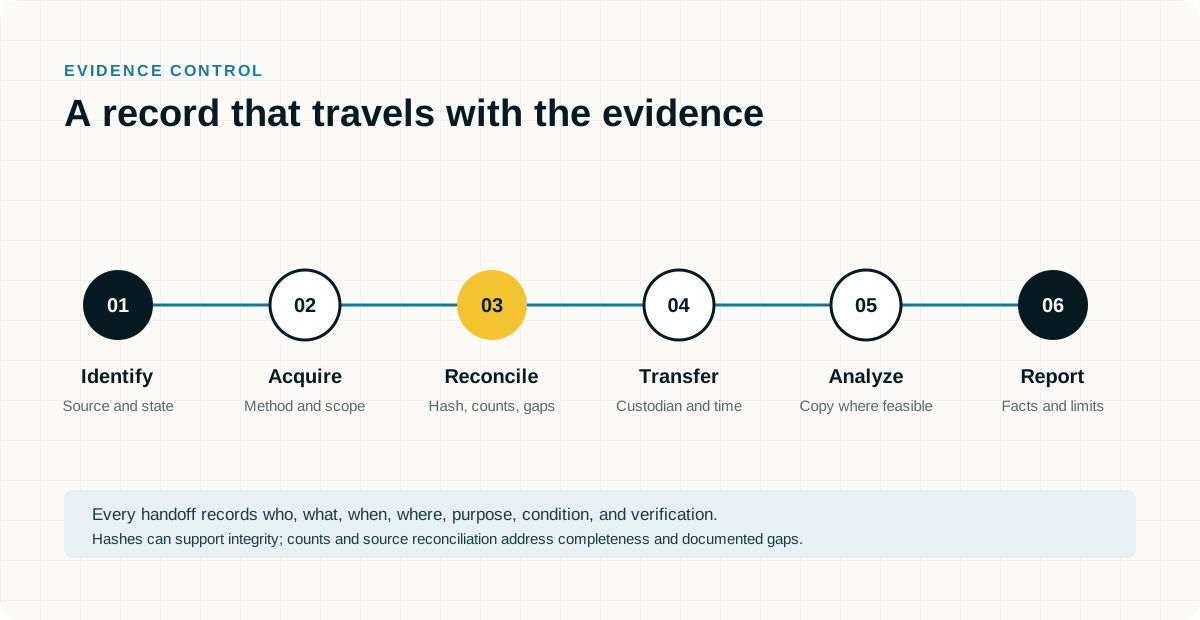
Information Gathering Q&A Checklist
Use this Q&A with the people who own the systems and the relevant legal or business decisions. Mark unknown or not applicable answers explicitly. Record an owner, a confirming source and the date. The public guide-request form asks for your email, not the answers below.
Do not write passwords, recovery keys, unlock codes or authentication secrets here. Record whether authorized access is available, who controls it and how a secure handoff can be arranged. Keep completed copies in the location counsel or the company approves. Do not send a completed record containing sensitive account or employee details through a public contact form.
- Who is directing the matter and who can authorize technical access?
Identify directing counsel, the business decision maker, the IT security owner and any outside administrator. Record the immediate deadline, relevant period and known preservation risk. An employee's possession of a device or an administrator's ability to access an account does not by itself settle the authorized examination scope.
Answer:
Owner, source, date and unresolved questions:
- Who provides the email service and who administers it?
Identify Microsoft 365, Google Workspace, an internal Exchange environment, a hosted service or a combination. Record the tenant or organization reference, relevant domains, mailbox owners, aliases, shared mailboxes and the MSP or administrator responsible. Identify available preservation and export permissions and any licensing question that needs confirmation.
Answer:
Owner, source, date and unresolved questions:
- Does the company have archiving, backups or preservation holds in place?
Name each service and distinguish an archive or journal from a backup, a retention policy and a matter specific hold. Identify what each covers, the available dates, deletion or rotation rules and who can export or restore records. Record whether preservation has actually been verified, rather than treating the existence of a subscription as proof of coverage.
Answer:
Owner, source, date and unresolved questions:
- Does the company supply the computers or do employees use their own?
Record company owned, personally owned, leased and shared equipment separately. Identify the assigned user, operating system, asset or serial reference and present location. Note any employee owned computer used for business and the applicable access agreement. Company ownership and permission to examine particular personal material should not be assumed to be the same.
Answer:
Owner, source, date and unresolved questions:
- Are mobile devices company owned, employee owned or a mixed arrangement?
Identify the phone or tablet, assigned user, model and operating system where known, and who currently holds it. Distinguish the owner of the handset from the owner of the cellular service account. Record whether work data is separated into a managed profile and whether a replacement, return or wipe is already scheduled.
Answer:
Owner, source, date and unresolved questions:
- Whose Apple, Google or Samsung account is registered or signed in on each phone?
Record each relevant account as personal, company controlled or unknown, and identify who can lawfully arrange access. For Apple devices, note any organization enrollment and known Activation Lock status separately from the signed in Apple Account. For Android devices, distinguish personal and work profiles and note relevant Google and Samsung accounts separately. Do not sign out or reset an account to answer this question. [S14] [S15]
Answer:
Owner, source, date and unresolved questions:
- Does the company use MDM and what does it actually manage on these devices?
Name the management service, administrator and enrollment mode, including supervision or work profile details where applicable. Record the last known device contact and any pending retire, lock or wipe command. A device appearing in a management console does not establish access to every personal application, message or backup. Preserve the management record without issuing a command merely to test capability.
Answer:
Owner, source, date and unresolved questions:
- Can the company recover the BitLocker or other encryption keys for each relevant computer?
Ask whether recovery material is actually available for the identified device and drive, where it is escrowed and who has authorized retrieval permission. Possible locations include Microsoft Entra ID, Active Directory or another approved store. Note FileVault or other encryption separately. Do not assume that MDM enrollment guarantees key availability, and do not place the key itself on this record. [S13]
Answer:
Owner, source, date and unresolved questions:
- Who controls identity, administrator access and multifactor authentication?
Identify the identity provider, relevant privileged accounts, outside administrator and person who can approve an export or collection. Note access dependencies such as an unavailable administrator or authentication device without recording secrets. Shared or delegated access should be identified because account activity may require additional evidence before it can be attributed to an individual.
Answer:
Owner, source, date and unresolved questions:
- Which cloud storage, collaboration and messaging services contain relevant work?
Identify shared drives, Teams, SharePoint, OneDrive, Slack, Google Chat and other platforms actually used for the relevant work. Note external ownership, linked documents, personal accounts used for business and any unsupported or unavailable source. A mailbox export should not be assumed to include the contents of every linked file or separate conversation.
Answer:
Owner, source, date and unresolved questions:
- What activity logs and endpoint records are available now?
Ask the responsible administrator which email, identity, endpoint, cloud sharing, USB, security and data protection records exist for the relevant period. Record actual date coverage, export permissions, known gaps and the next expiration or rotation point. Enabling a logging feature today should not be described as recovering activity that was never recorded.
Answer:
Owner, source, date and unresolved questions:
- What has already changed on the devices or accounts?
Record password resets, access restrictions, account deletions, mailbox conversions, software installations, cleanup activity, repairs, cloud sync changes and any device reset or wipe. Identify who acted, when and why. Include informal handling or earlier collections so the examiner can distinguish relevant historical activity from changes made during the response.
Answer:
Owner, source, date and unresolved questions:
- What exact audit or examination request and review period did you receive?
Identify the coordinator, the control owners and the response date.
Answer:
Owner, source, date and unresolved questions:
- Which missing records or unresolved findings need an accountable next step?
Distinguish current remediation from evidence of past operation.
Answer:
Owner, source, date and unresolved questions:
Primary sources and further reading
Prepared November 1, 2026. Sources explain the general framework; applicability, licenses, available records and legal requirements vary. This guide is technical preparation, not legal advice or an assurance of compliance or admissibility.