
Practitioner resource
A Brief Guide to Preparing for a New York SHIELD Act Safeguards Review
November 1, 2026
(212) 561-586024/7: (800) 868-8189
The first task is to identify the review you are preparing for. The SHIELD Act establishes data-security obligations, but a request described casually as a PII audit may instead come from a customer, insurer, regulator, transaction team or internal auditor. Obtain the actual request, applicable standards, entity scope and period. This guide focuses on the reasonable safeguards framework in New York General Business Law 899-bb and the related private-information definition in 899-aa. It does not treat every collection of personal information as the same legal category. [SHIELD] [SHIELD_NOTICE]
Identify the private information and the people responsible for it
Map the information the organization owns or licenses, the people it concerns and the systems and providers that handle it. Identify the business owner and the legal basis for the scope determination. Keep the statutory term private information distinct from broader internal labels such as PII. A useful inventory explains the actual data elements, why the organization retains them and who can authorize access or disposal.
The current statutory definition includes specified combinations involving identifiers and sensitive data, as well as online-account credentials. The 2025 revision also includes medical and health-insurance information. Counsel should assess the actual data against the current wording, including encryption and related conditions. Do not rely on an older summary that lists only financial identifiers or assume that information is outside scope because it is stored by a vendor. [SHIELD_NOTICE]
Organize the safeguards record around how the business operates
The statute describes administrative, technical and physical safeguards. Use those categories to organize the record, then make each item specific to the business. Identify the person coordinating the security program, foreseeable risks, existing safeguards, staff training, provider arrangements and the process for adjusting the program after changes. Record who owns each control and what evidence will demonstrate its operation. [SHIELD]
For technical preparation, request a scoped view of identities, access restrictions, relevant logging, system maintenance, recovery arrangements and control testing. For physical preparation, examine how devices and records are stored, transported and disposed of. Keep actual evidence separate from a written policy. A disposal policy cannot establish that a retired computer was handled according to the policy without a supporting record.
Build a data-flow and provider register
Follow representative information from collection through use, sharing, storage and disposal. Include email, cloud collaboration, business applications, backups, paper records and exported files where relevant. Identify the organizations and people who can change access or retention. Note personal devices, shared accounts and informal transfer methods that are not captured in a central system inventory.
For providers, identify the services used, the relevant data, contractual safeguards and available assurance evidence. Read the coverage and exceptions in a report rather than assuming that its existence confirms the customer's configuration. Where the organization and provider share responsibility, record the boundary clearly. Ask who can preserve records, assist with an incident and demonstrate deletion when the service ends.
Apply small-business treatment accurately
Do not describe small size as an automatic exemption from safeguarding information. Section 899-bb provides a proportionate approach for qualifying small businesses, tied to factors including size, complexity, activities and information sensitivity. Counsel should determine whether the statutory definition and any other applicable requirements are satisfied. The technical record should show why the chosen safeguards fit the actual risks. [SHIELD]
A small organization may have fewer systems and people, but it still needs accountable ownership and evidence that important protections work. Use a concise register and a practical review process rather than copying an enterprise policy that nobody can follow. Keep unresolved gaps and the plan for addressing them visible to the people who can make the necessary decisions.
Prepare an incident decision process without waiting for certainty
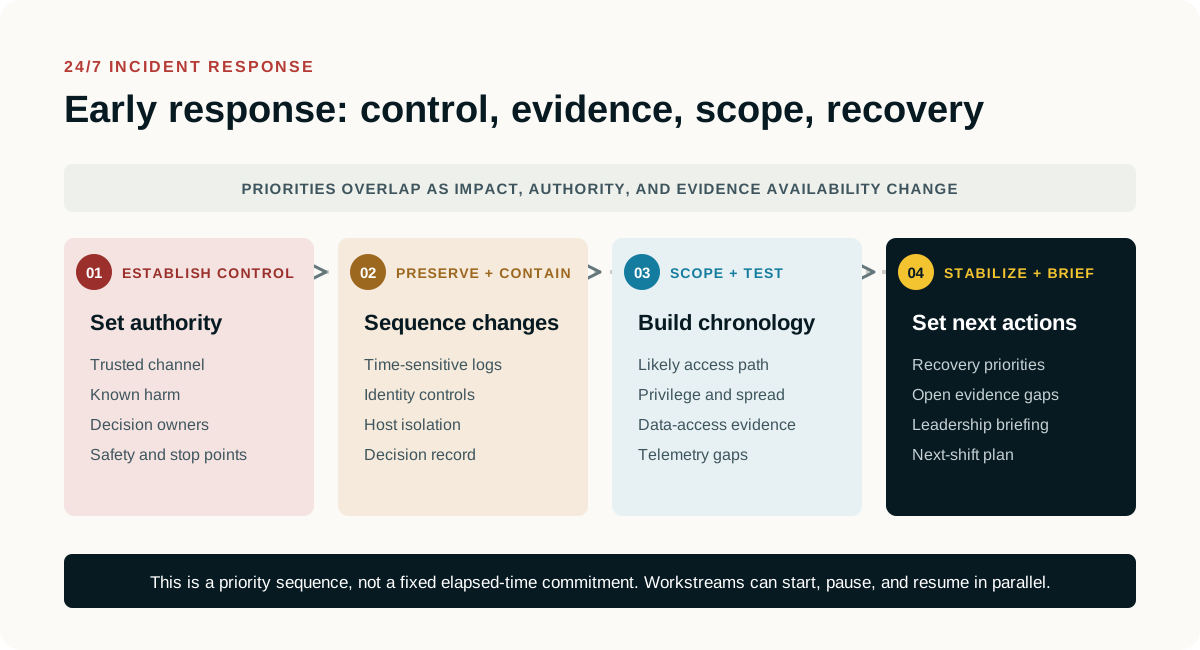
Identify how suspected unauthorized access is reported, who can authorize containment and who determines notification obligations. Preserve a factual chronology and the relevant records while counsel evaluates the applicable requirements. Do not equate the absence of an alert with proof that private information was not accessed. Equally, a file's presence in an account does not by itself prove that an unauthorized person viewed it.
The current 899-aa text contains timing requirements that must be assessed promptly, including a thirty-day outside limit for specified notices subject to the statute's provisions. Do not wait until the last day or assume that an incomplete technical review suspends a legal deadline. Counsel should evaluate the actual trigger, recipients, exceptions, law-enforcement considerations and other applicable laws. [SHIELD_NOTICE]
Produce a practical review package and improvement record
Prepare the scope statement, data-flow register, control-owner list, relevant policies, provider record and representative operating evidence. Add an exceptions register with a reason, owner, action and review date for each open item. Identify documents based on interviews or provider statements and distinguish them from records the team inspected directly. Keep sensitive information out of broad circulation and use an agreed secure method for necessary sharing.
Before delivery, check that a reviewer can connect a material assertion to its source and understand its limits. Retain the delivered version and the decisions about remediation or accepted risk. A completed preparation worksheet does not itself establish statutory compliance or resolve notification duties. It gives the organization and its advisers a clearer factual account on which to base those decisions.
Information Gathering Q&A Checklist
Use this Q&A with the people who own the systems and the relevant legal or business decisions. Mark unknown or not applicable answers explicitly. Record an owner, a confirming source and the date. The public guide-request form asks for your email, not the answers below.
Do not write passwords, recovery keys, unlock codes or authentication secrets here. Record whether authorized access is available, who controls it and how a secure handoff can be arranged. Keep completed copies in the location counsel or the company approves. Do not send a completed record containing sensitive account or employee details through a public contact form.
- Who is directing the matter and who can authorize technical access?
Identify directing counsel, the business decision maker, the IT security owner and any outside administrator. Record the immediate deadline, relevant period and known preservation risk. An employee's possession of a device or an administrator's ability to access an account does not by itself settle the authorized examination scope.
Answer:
Owner, source, date and unresolved questions:
- Who provides the email service and who administers it?
Identify Microsoft 365, Google Workspace, an internal Exchange environment, a hosted service or a combination. Record the tenant or organization reference, relevant domains, mailbox owners, aliases, shared mailboxes and the MSP or administrator responsible. Identify available preservation and export permissions and any licensing question that needs confirmation.
Answer:
Owner, source, date and unresolved questions:
- Does the company have archiving, backups or preservation holds in place?
Name each service and distinguish an archive or journal from a backup, a retention policy and a matter specific hold. Identify what each covers, the available dates, deletion or rotation rules and who can export or restore records. Record whether preservation has actually been verified, rather than treating the existence of a subscription as proof of coverage.
Answer:
Owner, source, date and unresolved questions:
- Does the company supply the computers or do employees use their own?
Record company owned, personally owned, leased and shared equipment separately. Identify the assigned user, operating system, asset or serial reference and present location. Note any employee owned computer used for business and the applicable access agreement. Company ownership and permission to examine particular personal material should not be assumed to be the same.
Answer:
Owner, source, date and unresolved questions:
- Are mobile devices company owned, employee owned or a mixed arrangement?
Identify the phone or tablet, assigned user, model and operating system where known, and who currently holds it. Distinguish the owner of the handset from the owner of the cellular service account. Record whether work data is separated into a managed profile and whether a replacement, return or wipe is already scheduled.
Answer:
Owner, source, date and unresolved questions:
- Whose Apple, Google or Samsung account is registered or signed in on each phone?
Record each relevant account as personal, company controlled or unknown, and identify who can lawfully arrange access. For Apple devices, note any organization enrollment and known Activation Lock status separately from the signed in Apple Account. For Android devices, distinguish personal and work profiles and note relevant Google and Samsung accounts separately. Do not sign out or reset an account to answer this question. [S14] [S15]
Answer:
Owner, source, date and unresolved questions:
- Does the company use MDM and what does it actually manage on these devices?
Name the management service, administrator and enrollment mode, including supervision or work profile details where applicable. Record the last known device contact and any pending retire, lock or wipe command. A device appearing in a management console does not establish access to every personal application, message or backup. Preserve the management record without issuing a command merely to test capability.
Answer:
Owner, source, date and unresolved questions:
- Can the company recover the BitLocker or other encryption keys for each relevant computer?
Ask whether recovery material is actually available for the identified device and drive, where it is escrowed and who has authorized retrieval permission. Possible locations include Microsoft Entra ID, Active Directory or another approved store. Note FileVault or other encryption separately. Do not assume that MDM enrollment guarantees key availability, and do not place the key itself on this record. [S13]
Answer:
Owner, source, date and unresolved questions:
- Who controls identity, administrator access and multifactor authentication?
Identify the identity provider, relevant privileged accounts, outside administrator and person who can approve an export or collection. Note access dependencies such as an unavailable administrator or authentication device without recording secrets. Shared or delegated access should be identified because account activity may require additional evidence before it can be attributed to an individual.
Answer:
Owner, source, date and unresolved questions:
- Which cloud storage, collaboration and messaging services contain relevant work?
Identify shared drives, Teams, SharePoint, OneDrive, Slack, Google Chat and other platforms actually used for the relevant work. Note external ownership, linked documents, personal accounts used for business and any unsupported or unavailable source. A mailbox export should not be assumed to include the contents of every linked file or separate conversation.
Answer:
Owner, source, date and unresolved questions:
- What activity logs and endpoint records are available now?
Ask the responsible administrator which email, identity, endpoint, cloud sharing, USB, security and data protection records exist for the relevant period. Record actual date coverage, export permissions, known gaps and the next expiration or rotation point. Enabling a logging feature today should not be described as recovering activity that was never recorded.
Answer:
Owner, source, date and unresolved questions:
- What has already changed on the devices or accounts?
Record password resets, access restrictions, account deletions, mailbox conversions, software installations, cleanup activity, repairs, cloud sync changes and any device reset or wipe. Identify who acted, when and why. Include informal handling or earlier collections so the examiner can distinguish relevant historical activity from changes made during the response.
Answer:
Owner, source, date and unresolved questions:
- What data elements and New York-resident information are within the reviewed scope?
Ask counsel to assess the current statutory definition, including medical and health-insurance information.
Answer:
Owner, source, date and unresolved questions:
- Who owns administrative, technical and physical safeguards and provider oversight?
Identify the actual evidence and the people who can explain each control.
Answer:
Owner, source, date and unresolved questions:
Primary sources and further reading
Prepared November 1, 2026. Sources explain the general framework; applicability, licenses, available records and legal requirements vary. This guide is technical preparation, not legal advice or an assurance of compliance or admissibility.
- SHIELD: New York General Business Law 899-bb
- SHIELD_NOTICE: New York General Business Law 899-aa, current 2025 revision
- AG_SHIELD: New York Attorney General SHIELD Act overview
- S13: Microsoft BitLocker recovery overview
- S14: Apple guidance on Activation Lock and device management
- S15: Android Enterprise guidance on work profiles